Inside Confluence Whiteboards: Why You Can't Really Export Them
Confluence Cloud whiteboards were announced in December 2022 as a rebranding of Fabric (an Atlassian Point A incubator product), with the Early Access Program starting in January 2023, public beta in mid-2023, and general availability rolling out into 2024.
Currently you only have limited options when it comes to exporting whiteboards from Confluence Cloud. You can only manually export whiteboards as PDF, PNG, or JPG:
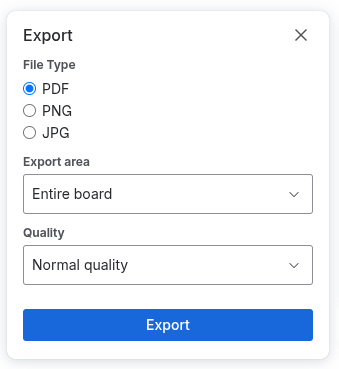
When migrating whiteboards from Confluence to SharePoint, WikiTraccs currently uses a remote-controlled browser to open the whiteboard and export it as PNG, by automating the button clicks. This works, but doesn’t satisfy the common asks from users: export whiteboards as CSV, JSON, or any other format that can be processed further.
A proper whiteboard data export would benefit all users, whether they migrate to SharePoint Online or to other environments.
Demand for Whiteboard Exports
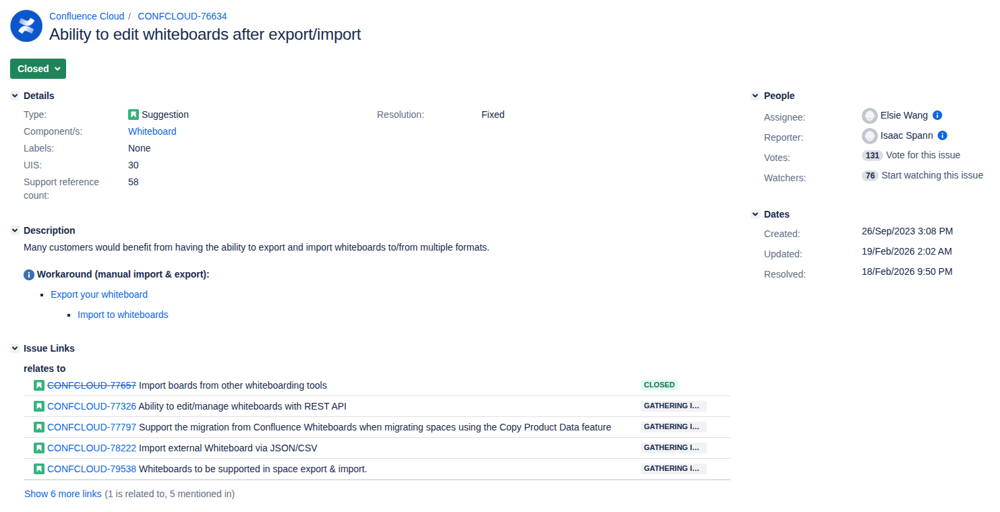
The main feature request seems to be CONFCLOUD-76634: “Ability to edit whiteboards after export/import”. It has (as of writing this) 131 votes, 76 watchers, and 58 linked support cases. It is the highest-voted whiteboard export ticket and was created in September 2023. Atlassian has since marked the ticket as Closed, even though no structured-export functionality has shipped to the public:
There are also quite a few community posts regarding importing and exporting whiteboards, for example this (“Can we export a Whiteboard other than an image, so it is still useful?”) and this (“How to export/import Whiteboards from one system to another?”).
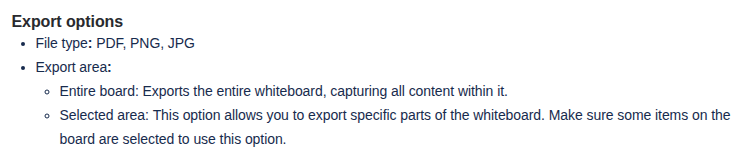
Atlassian documents that native whiteboard export today is PDF, PNG, JPG only - no SVG, VSDX, draw.io, or any other structured format like JSON or CSV:
The public Confluence Cloud REST v2 supports only create / get / delete on whiteboard metadata (id, title, status, parent, space, author, owner, created date, version, links). It does not expose any elements, coordinates, shape definitions, connectors, text content, or other diagram content.
So, if there is no official means to export whiteboards, maybe we can build something ourselves?
How a Whiteboard Loads in the Browser
First, we need to understand how whiteboards work. We’ll focus on where the whiteboard data comes from, less on the actual rendering engine.
Each whiteboard has a UUID that looks like aaaaaaaa-bbbb-cccc-dddd-eeeeeeeeeeee - this is different from the usual page ID format.
When opening a whiteboard, it renders inside an iframe at https://COMPANY.atlassian.net/whiteboards/whiteboard/aaaaaaaa-bbbb-cccc-dddd-eeeeeeeeeeee?....
JavaScript for the whiteboard editor loads from (e.g.) canvas-frontend.prod-east.frontend.public.atl-paas.net, a publicly accessible endpoint.
Whiteboard data is loaded from https://COMPANY.atlassian.net/gateway/api/canvas-tenant-context/site/11111111-2222-3333-4444-555555555555/api/_internal/collab/aaaaaaaa-bbbb-cccc-dddd-eeeeeeeeeeee (11111111-2222-3333-4444-555555555555 is the Confluence site ID), an endpoint that is neither part of the official REST API, nor does it accept a personal access token for authentication.
Whiteboard media is loaded from https://api.media.atlassian.com/file/99999999-1234-5678-9abc-deadbeefcafe/binary?..., the same endpoint that powers page attachments.
Stickers are loaded from https://canvas-frontend.prod-east.frontend.public.atl-paas.net/assets/AtlassianStickers-<id>.<hash>.webp, a publicly accessible endpoint.
The Whiteboard Data Format
The data that goes over the wire when the editor calls https://COMPANY.atlassian.net/gateway/api/canvas-tenant-context/site/SITEID/api/_internal/collab/WHITEBOARDID is a Yjs CRDT update payload (binary). Yjs is open-source and MIT-licensed: https://github.com/yjs/yjs.
Yjs is schema-less by design. Each app that uses Yjs (BlockNote, tldraw, Excalidraw collab, Liveblocks, Confluence whiteboards…) stores its own scene model inside. Schemas are mutually unreadable and schema interpretation is per-application.
Atlassian internally calls their structured representation WDF - Whiteboards Document Format, described as “a serializable data format for making whiteboard content portable”. No public WDF schema, API, parser, or converter exists.
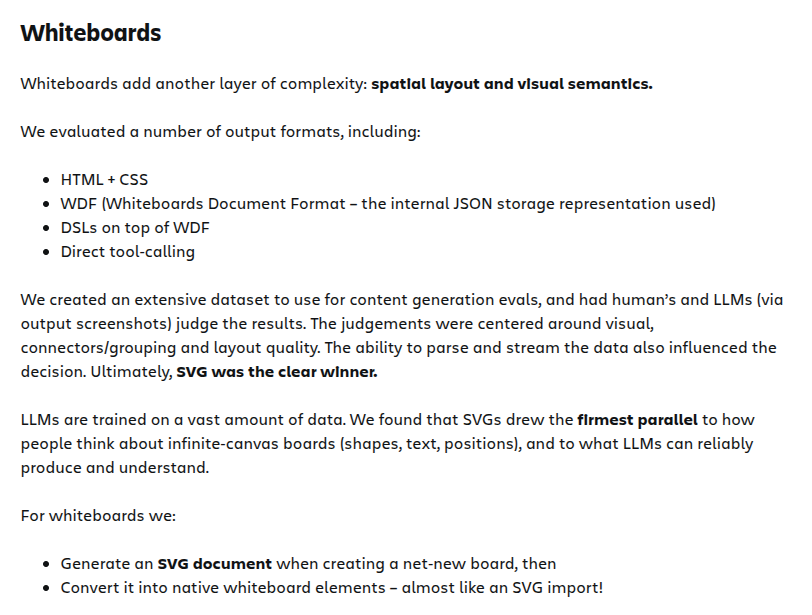
For AI-generated/edited whiteboards (Rovo Canvas), Atlassian uses SVG as an internal intermediate between the LLM and the native whiteboard, as documented in this Inside Atlassian blog post:
Existing Third-Party Converters
No public converter (that I know of) exists for: WDF → SVG, WDF → VSDX, WDF → draw.io, WDF → JSON Canvas, WDF → Excalidraw, WDF → tldraw, or any other target. Generic Y-Doc-to-X converters do not exist for the same reason WDF parsers don’t - Yjs is schema-less, every app’s scene model differs.
Takeaway and Next Steps
We now have two important pieces at our hands which can pave the way to exporting Confluence Cloud whiteboards to other data formats than just images:
- Whiteboard data is represented in a binary-encoded Yjs format; this (product-agnostic) format is documented and parsers are available
- WikiTraccs already opens a live browser that shows a whiteboard for image export; whiteboard data already lives in this browser
So, data is available and the general format is known. We only need a way to get the whiteboard data out of the browser and to understand the schema that Atlassian uses to represent whiteboard content.
In the next post, we’ll look at a WikiTraccs proof-of-concept that takes this all the way: extracting the Yjs payload from a live whiteboard, decoding Atlassian’s WDF scene model, and converting it into an editable draw.io diagram - a first structured export path for Confluence whiteboards.