Confluence Authentication Recommendation
WikiTraccs supports several ways to authenticate with Confluence, and this post recommends the order to try them in - for an overview of all options see Authenticating with Confluence.
1. Interactive Authentication
Start with interactive login, it is the easiest option (Interactive Authentication). It also offers the broadest migration scope, as WikiTraccs will be able to access some endpoints that are not available when using token-based authentication.

WikiTraccs opens a browser, you log in with your migration account, and WikiTraccs takes over the session cookies to access Confluence as that user.
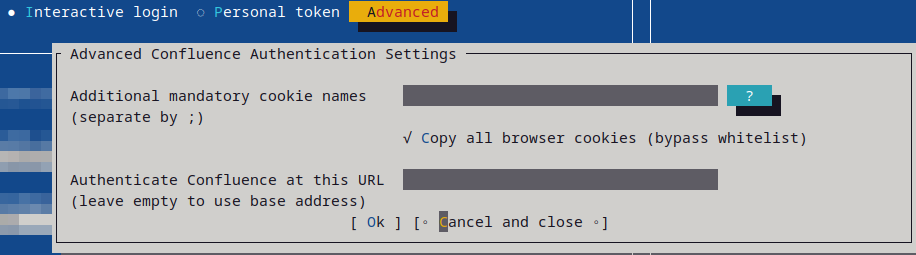
By default WikiTraccs only copies well-known authentication cookies, covering a wide range of authentication providers. If your login needs more cookies - for example with an SSO solution not covered - add their names to the cookie whitelist (Additional Mandatory Cookie Names).
If authentication still doesn’t work, enable Copy all browser cookies to bypass the whitelist and take over every cookie (Copy All Browser Cookies). Those two settings are the first thing to check when interactive login fails.
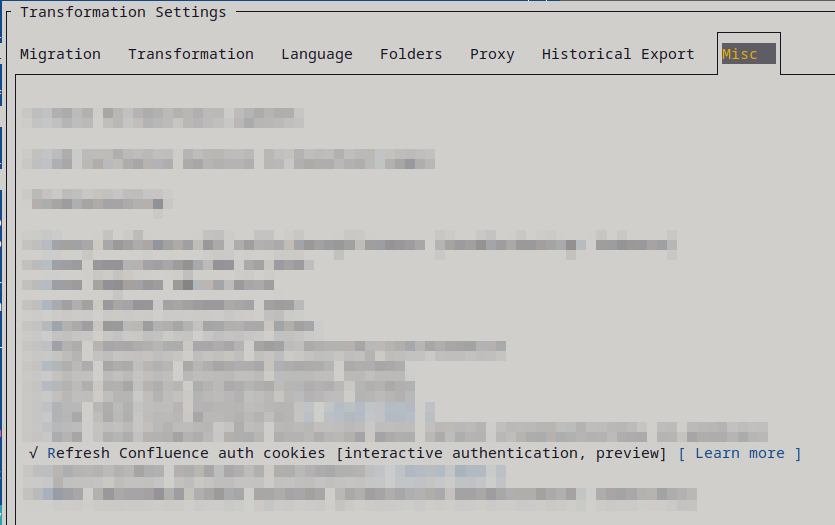
If your session tends to time out during longer migrations, turn on the optional cookie refresh (Interactive Authentication Cookie Refresh). It keeps a browser window open that refreshes the cookies while the migration runs.
2. Token-based Authentication
If interactive login doesn’t work for you, use a Personal Access Token (Token-Based Authentication).

Confluence Server and Data Center just need the token
This needs Confluence 7.9 or later, and it also works with Confluence Cloud.

Confluence Cloud needs the user login (email) in addition to the token
3. Selenium Proxy
As a last resort, use the Selenium Proxy, which is the Proxy Confluence API calls through browser setting (Proxy Confluence API calls through browser).
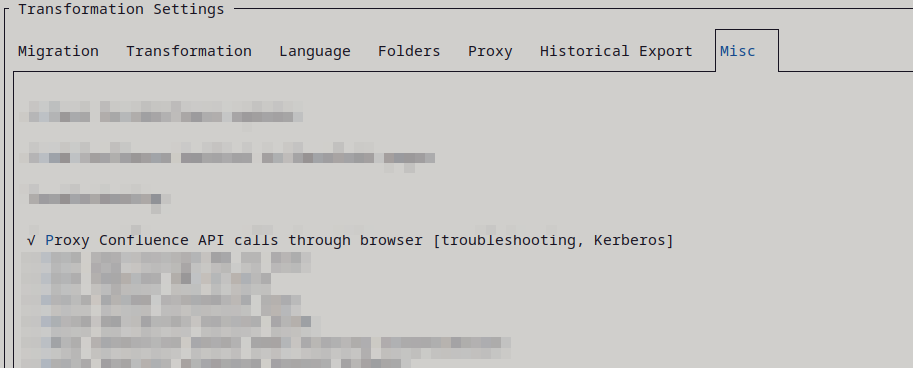
It routes every Confluence request through the browser, which works around tricky setups like Kerberos. This is slower than the other options, so only use it when nothing else works.