Activate and Configure Inventory Mode
How to activate Confluence inventory mode
Note: Inventory Scan and Reporting is available as of WikiTraccs 1.32.29, with some parts having been added in later releases.
WikiTraccs has an inventory scan built in. The inventory scan leverages the same data processing pipeline that is used when migrating content from Confluence to SharePoint. It is much faster though, since attachment downloads are skipped and no SharePoint is present nor required.
Using the inventory run, WikiTraccs gathers extensive information about your Confluence instance, including:
Information gathered is presented in different graphs and views, some per site and some per space.
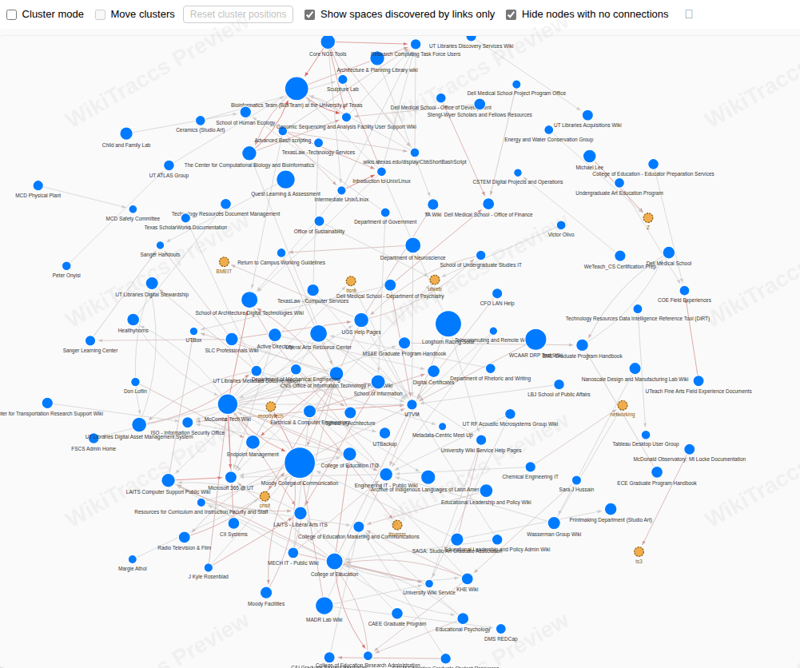
Here’s an example of the space link graph, showing linked spaces:
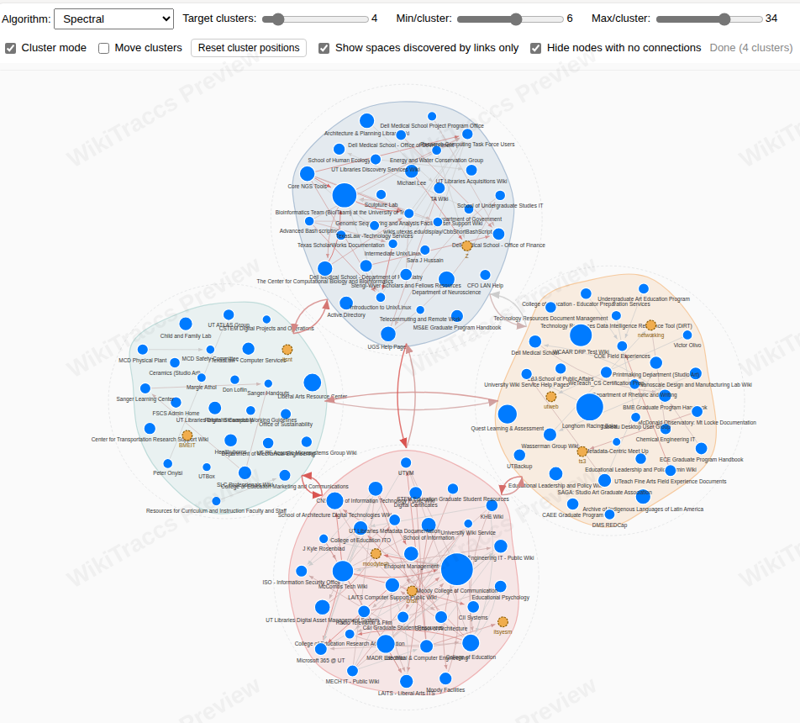
Again, in clustered fashion:
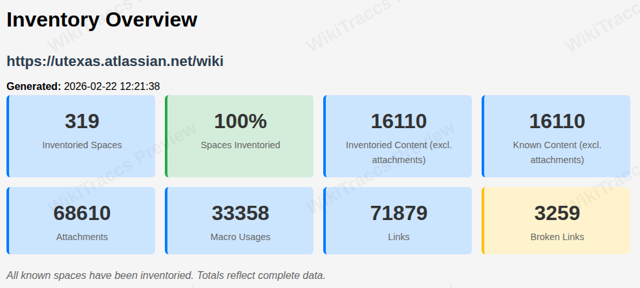
And overview metrics for the whole site, ready to be drilled in to:
Using this information, you can leverage the Migration Duration Estimator get an estimation of the time if will take to migrate all your Confluence content to SharePoint.
Follow the steps in Activate and Configure Inventory Mode.
How to activate Confluence inventory mode
How to select which Confluence spaces to inventory
How to find and access inventory scan data
Understanding the Inventory Overview report and the Space Link Graph
Understanding the per-space inventory report
Understanding the Open Tasks report generated by the inventory scan
Understanding the cross-space Link Insights report
Understanding the Flagged Pages report
Understanding the Users and Groups report