Page Refinement - Log Broken Links
This article documents the ability of WikiTraccs to check already migrated pages for broken links.
Note: Page Refinement is available as of WikiTraccs v1.28.0
Page refinements are changes to already migrated pages in SharePoint Online.
In Page Refinement Mode, WikiTraccs will analyze and optionally modify migrated pages.
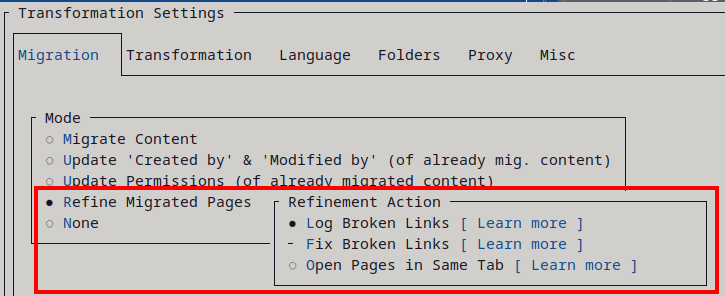
Currently supported refinement actions are:
Page Refinement Mode can be activated in the WikiTraccs settings:
Refer to any of the child articles for more details:
This article documents the ability of WikiTraccs to check already migrated pages for broken links.
This article documents the ability of WikiTraccs to fix broken links.
This article documents the ability of WikiTraccs to change page links that traditionally openend in new browser tabs to open in the same tab instead.