Check the Current and Available Version of WikiPakk
Where to find the current version number of WikiPakk, and how to check if a new version is available.
Which Version of WikiPakk Am I Using?
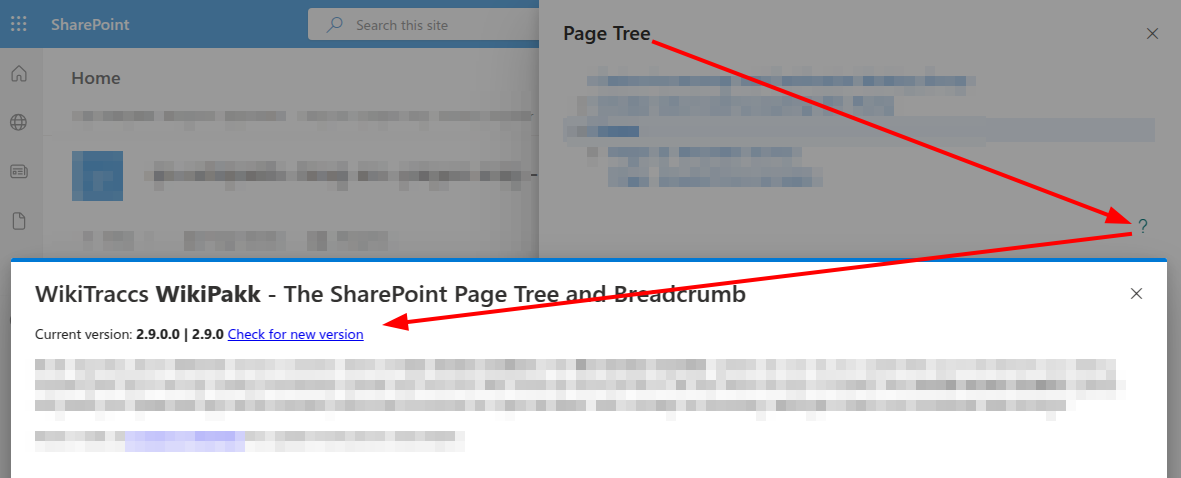
To see the current version of WikiPakk, open the Page Tree panel, open Page tree options (…) in the header, and choose Help, updates and tools, marked with a question mark (?).
The question mark button below the tree opens the same dialog. Older versions have this button too.
The dialog that opens shows the current WikiPakk version, here 2.9.0:
How to Check for WikiPakk Updates?
To check for updates, click the Check for new version link (see screenshot in previous section).
Note: If there is no “Check for new version” link, you might be running an older version of WikiPakk that doesn’t have the link, yet. In that case, please check the release notes on Microsoft AppSource.
Last modified November 5, 2026